Marketer AI
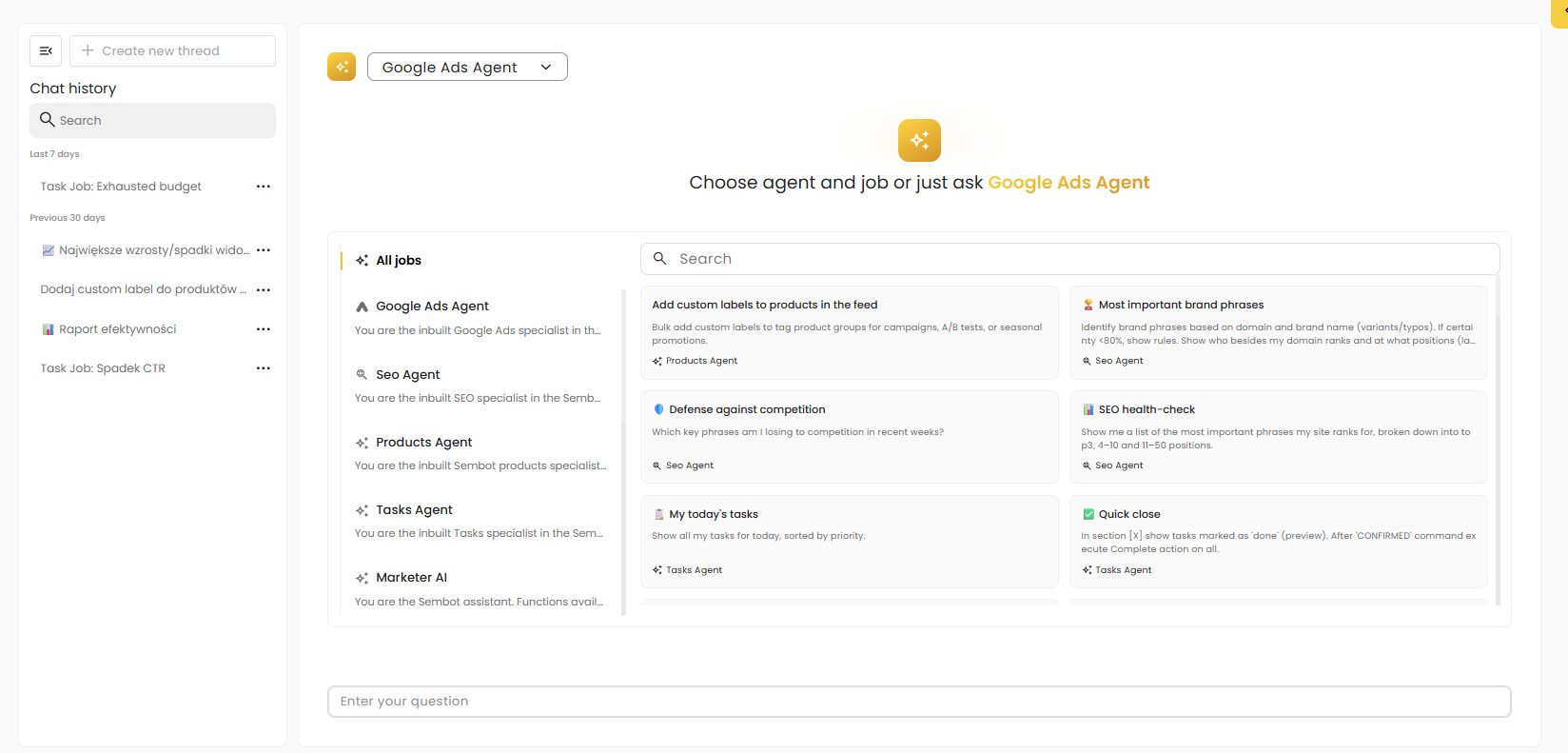
Marketer AI is an advanced AI-powered tool that works as an interactive chat, supporting marketers in their day-to-day tasks. Thanks to integration with the entire Sembot system including the Knowledge Base, the product file, and connected data sources Marketer AI can analyze available information in one place, provide accurate answers, support decision-making, and suggest next steps based on the collected data and context.
AI Agents
Within Marketer AI, the AI Agents section allows you to select a specialized assistant aligned with the topic of the conversation. This enables users to interact with an agent that has dedicated capabilities and context for a specific area of online marketing (e.g., advertising campaigns, SEO).
Selecting an agent for the conversation |
At the top of the Marketer AI view, there is a dropdown list showing the currently selected agent. Opening the list allows you to quickly switch to another agent depending on the type of request.
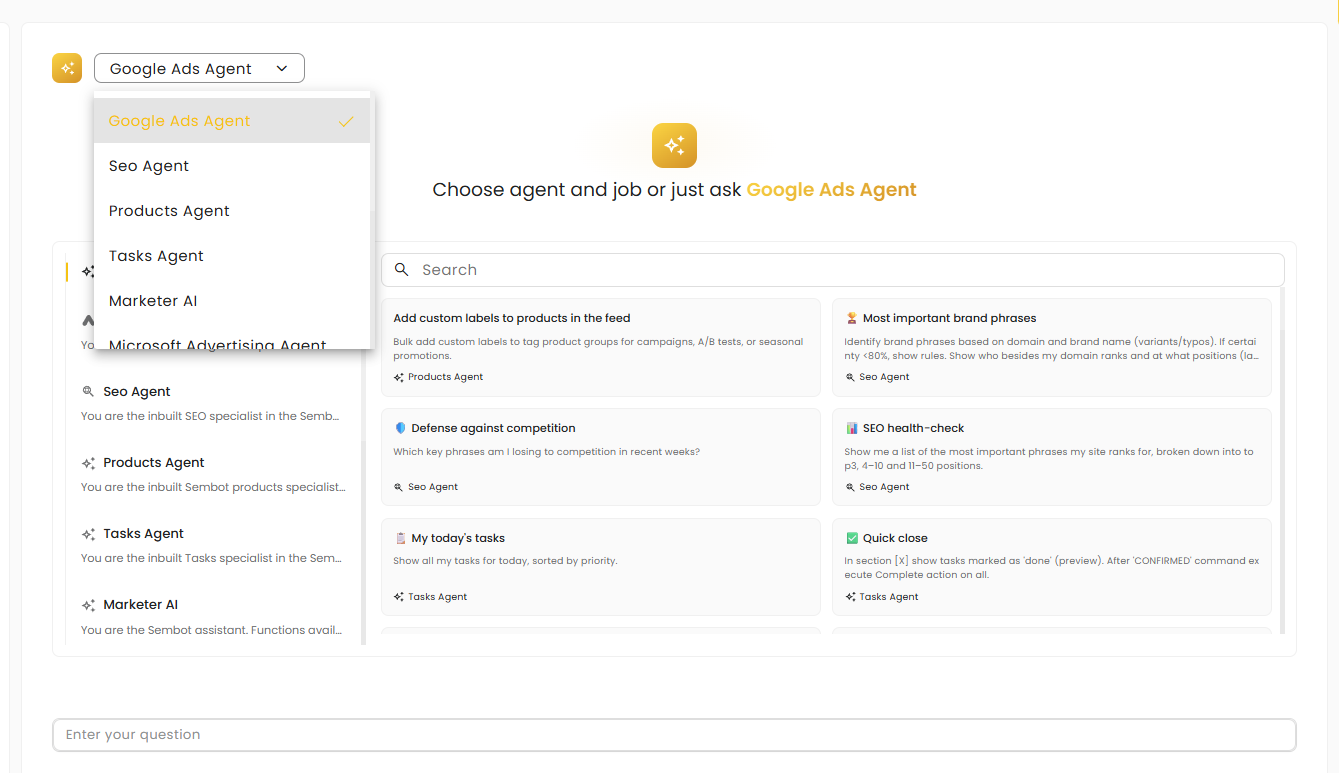
Examples include:
Google Ads Agent – support for Google Ads campaign-related tasks,
SEO Agent – support for SEO activities,
Products Agent – work with product data (e.g., feeds),
Tasks Agent – support for tasks and operational workflows,
Marketer AI – a general-purpose agent for broader questions and cross-functional support.
The selected agent influences how the conversation is handled and which types of insights and recommendations are prioritized in the responses.
System agents and creating your own agent |
In the AI Agents list module, users have access to a ready-to-use set of system agents that support everyday online marketing work. Each agent specializes in a different area, making it easy to use targeted assistance exactly where it is needed.
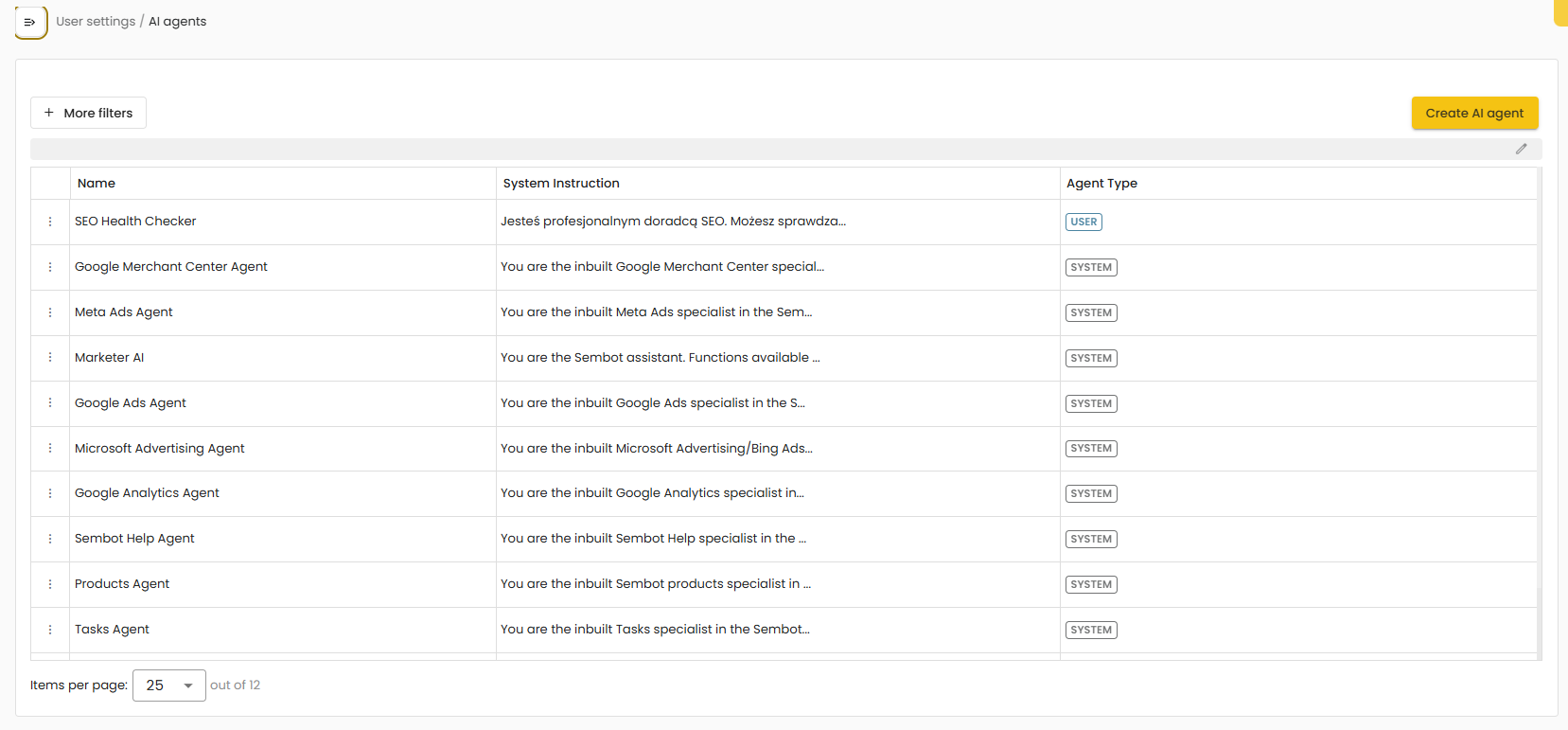
In addition to system agents, users can also create their own agent tailored to the needs of a specific company or project. A custom agent can be designed for a particular context, for example:
a specific advertising platform or tool,
a defined campaign type,
a reporting and performance review process,
a preferred communication style (e.g., formal, concise, report-oriented).
As a result, Marketer AI can operate not only as general support, but also as a set of agents specialized in the processes and standards used within a given organization.
Knowledge Base
To enable Marketer AI to provide more accurate answers and better tailor recommendations to your organization, team, or client, it is important to add context in the Knowledge Base module. The Knowledge Base provides information that cannot be inferred solely from performance data or the conversation itself ensuring Marketer AI does not respond in generic terms, but instead works based on the actual project context.
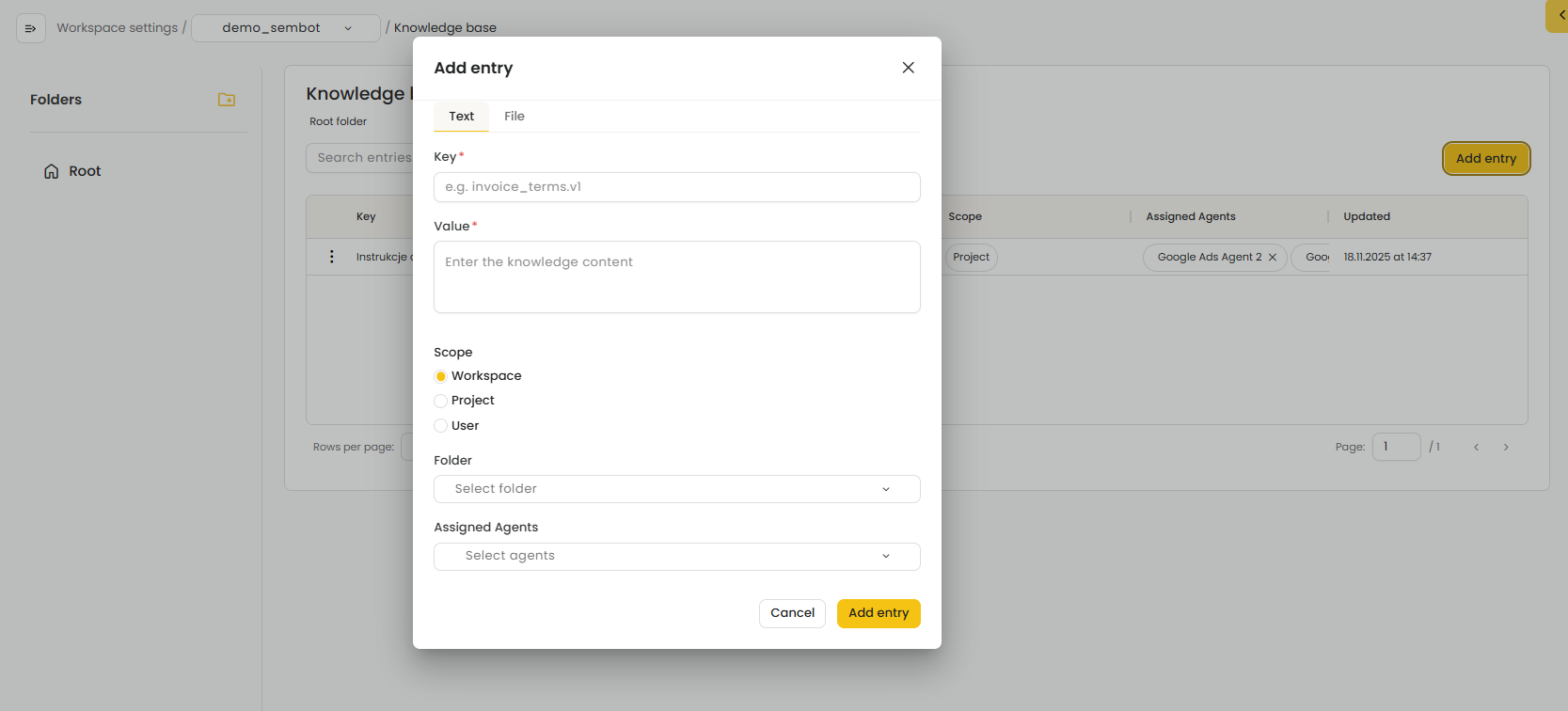
The Knowledge Base serves as the “backstage” for Marketer AI—a space where users can provide the system with the information required to generate relevant, consistent, and well-aligned responses.
In the Knowledge Base, users can add information in the form of:
entries (notes) created manually,
files (e.g., briefs, strategies, client descriptions, project agreements).
Users can upload key information related to marketing activities, including:
company and industry information,
marketing and business goals,
KPIs and targets,
communication strategy and brand guidelines,
target audiences (personas, segments),
campaign assumptions and execution rules,
products/offers and competitive advantages,
client agreements and broader project context (e.g., constraints, priorities, seasonality).
Benefits of using the Knowledge Base |
With the Knowledge Base in place, Marketer AI:
provides answers aligned with goals and strategy,
generates more relevant and actionable recommendations,
maintains consistency in communication (e.g., style, language, priorities),
reduces the need to repeatedly explain context during conversations.
As a result, Marketer AI becomes a tool tailored to the specific needs of the user and the project, rather than providing universal, generic responses.
Was this article helpful?
That’s Great!
Thank you for your feedback
Sorry! We couldn't be helpful
Thank you for your feedback
Feedback sent
We appreciate your effort and will try to fix the article