AI agents
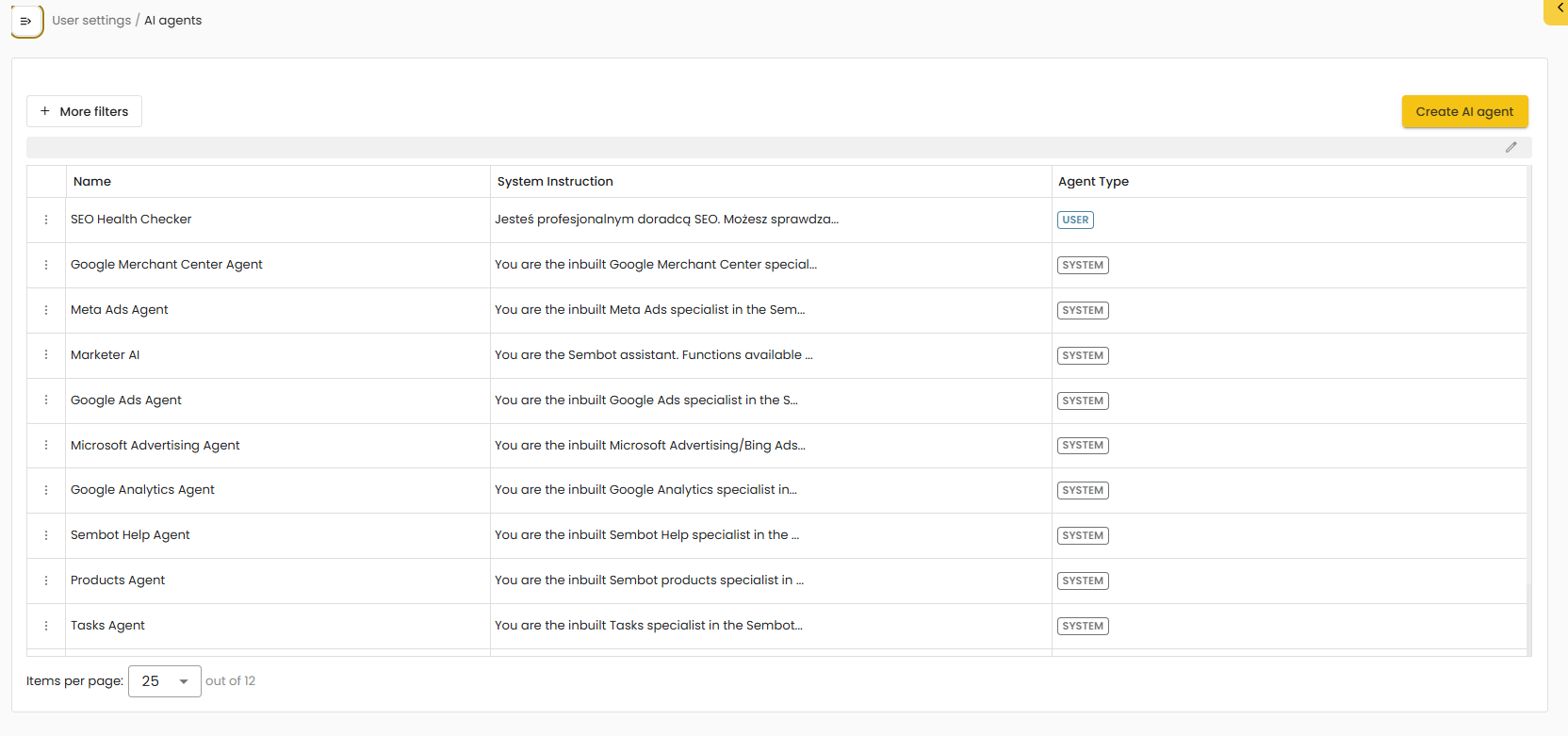
The AI Agents List module provides access to a set of ready-to-use system agents that support everyday work in online marketing. Each agent is designed for a specific domain and comes with focused capabilities for example, advertising campaigns, SEO, or performance analysis. This allows users to quickly select the most suitable agent for a given task and receive assistance that is aligned with the relevant context.
System Agents |
The list includes agents delivered by the system, covering the most common marketer needs. In practice, this enables users to switch conveniently between different specializations without having to restate the full context from scratch each time.
Creating a Custom Agent |
In addition to system agents, users can create their own custom agent tailored to the needs of a company or a specific project. A custom agent can be configured to specialize in, for example:
a specific platform or tool,
a selected campaign type and preferred working approach,
a defined reporting and performance review process,
a preferred communication style (e.g., formal, concise, report-oriented).
As a result, the AI Agents List supports both quick access to pre-built specializations and the creation of agents aligned with an organization’s processes and standards.
Creating an Agent Step by Step |
To create a new agent, click “Create AI agent”. A configuration form will open where you define the agent’s behavior and capabilities.
1) Agent Details
In this section, you define the core settings:
Scope – where and by whom the agent can be used (e.g., user-level scope).
Agent name – the name displayed in the agents list and when selecting an agent in Marketer AI.
System instruction – the most important configuration field, describing the agent’s role, communication style, and operating rules (effectively the agent’s “brief”).
Model – selection of the OpenAI model used by the agent.
(Optional) a setting that allows the agent to be used as a child agent (if dependencies between agents are defined in a given setup).
2) Advanced Agent Options
On the right-hand side, additional settings are available, including:
Sub-agents – the ability to assign supporting agents.
Functions – selection of functions the agent can use (e.g., integrations or operations available in the system).
Starter messages – messages shown to the user at the beginning of the conversation (a start prompt after selecting the agent).
MCP Server – configuration of an external connection, if the agent should use an external server or authentication mechanism.
3) “Job” Section Integration with the Tasks Module
The configuration includes a Job section, which relates to handling tasks and jobs within the Tasks module. In practice, this means the agent can be prepared to operate in a task-based context (e.g., supporting task execution or job-driven workflows).
After saving, the new agent will appear in the AI Agents list and will be available for selection in Marketer AI, according to the defined scope.
Was this article helpful?
That’s Great!
Thank you for your feedback
Sorry! We couldn't be helpful
Thank you for your feedback
Feedback sent
We appreciate your effort and will try to fix the article