Create new account
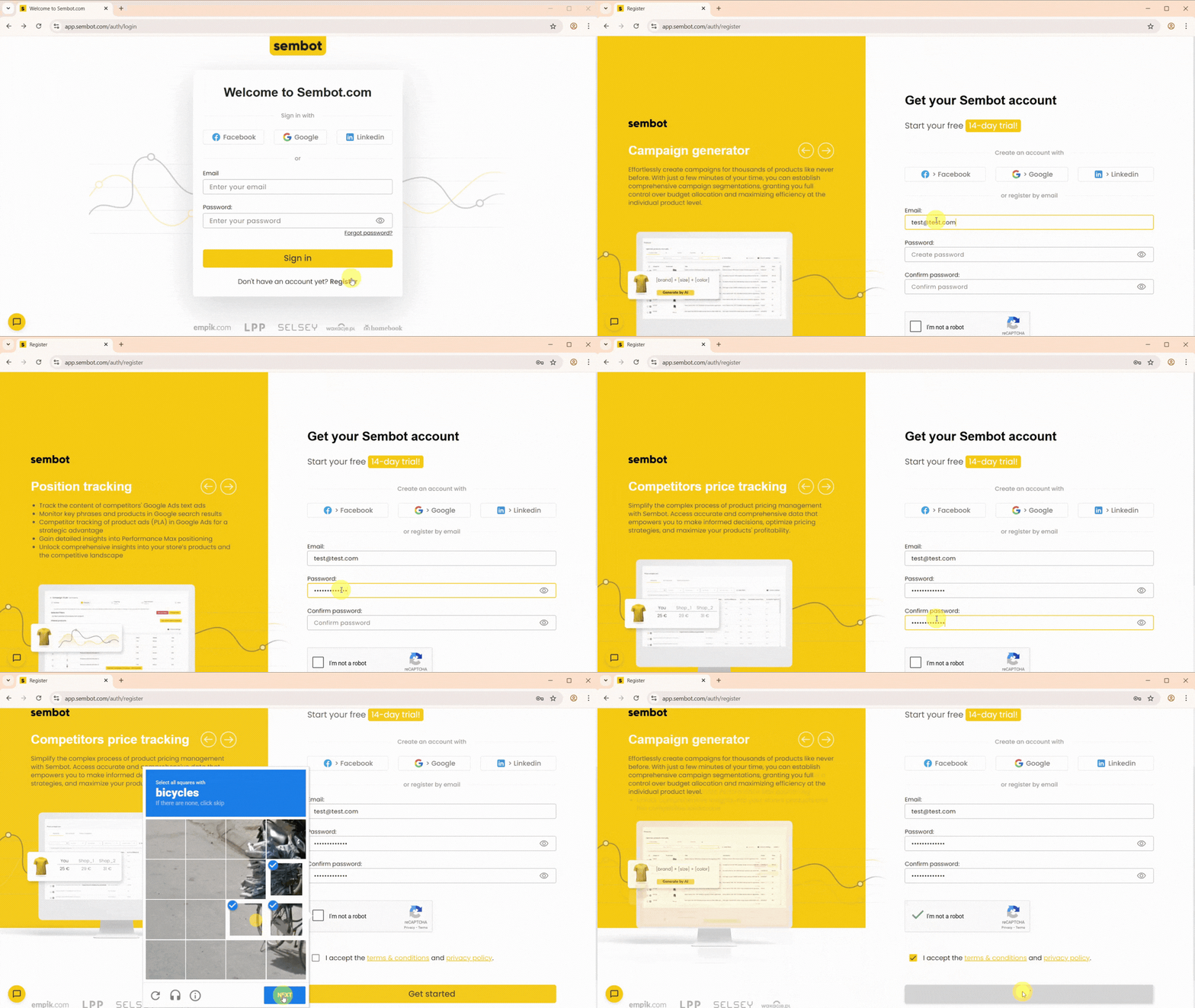
Go to https://app.sembot.com/ and click Register.
Fill in the form with your details and accept the required consents. After you complete the registration, you’ll receive a verification email, click Verify email address to activate your account. You can then log in to the Sembot panel.
When you create an account, you automatically get a 14-day free trial, which starts right away. After the trial ends, your account will be deactivated unless you start a subscription. You can also start a subscription immediately, if you do, once the trial period is over, the subscription fee will be charged to your linked card.
Once your email address is verified, you’ll also receive a welcome email with links to helpful resources and the option to book an onboarding call. During the call, we’ll walk you through the Sembot panel and its features, tailored to your needs.
Was this article helpful?
That’s Great!
Thank you for your feedback
Sorry! We couldn't be helpful
Thank you for your feedback
Feedback sent
We appreciate your effort and will try to fix the article